
Context
A TV in the living room is often on while people get ready in the morning, and its home screen is the first thing it shows. On Google TV that screen belongs to the platform: rows of recommendations, with your own apps where it puts them.
Fullhouse began as our own home screen for a Google TV Streamer: the apps we use first, then the bus, the rain and the day's plans. Then it became an app for anyone with Google TV or Android TV.
The problem
A launcher is driven by a remote with four arrows and an OK button, read from three metres away, on hardware with little memory. And Google TV does not hand the Home button to another app.
Constraints
The Home button belongs to Google TV
Taking the home role the standard way was tried and does not work there. The answer is an optional, minimal accessibility service that only notices when the system home opens, with a disclosure in the app where Not now has the focus, as Google Play's policy for launchers asks.
Read from the sofa
Focus borders stay above 3:1 contrast because a change of fill alone is invisible from three metres, and the Poster look keeps white text at 7:1 or more.
A small device
Live bus times run on a 32-bit device with 4 GB of memory, so a hand-written reader keeps only the chosen stops from the realtime feed instead of loading it whole.
One codebase, more than one store
Widgets only we use are stripped from the Play build by the compiler, and the Play build asks for no broad permissions: no list of every installed app, no precise location.
Our role
Product definition, interaction and visual design, the Android TV app, the setup page on the phone, the Google Play listing and releases, and the product site.
What we built
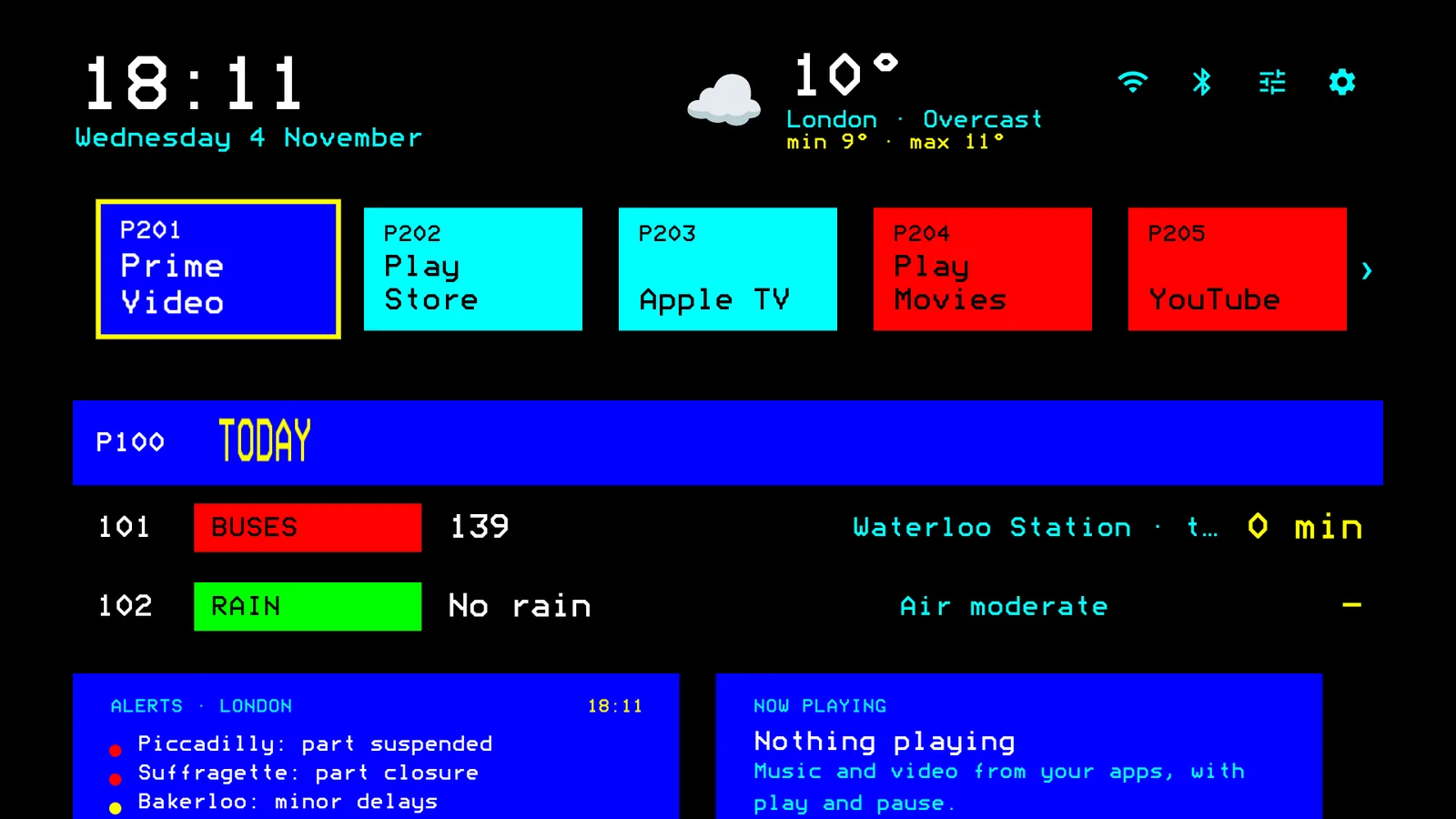
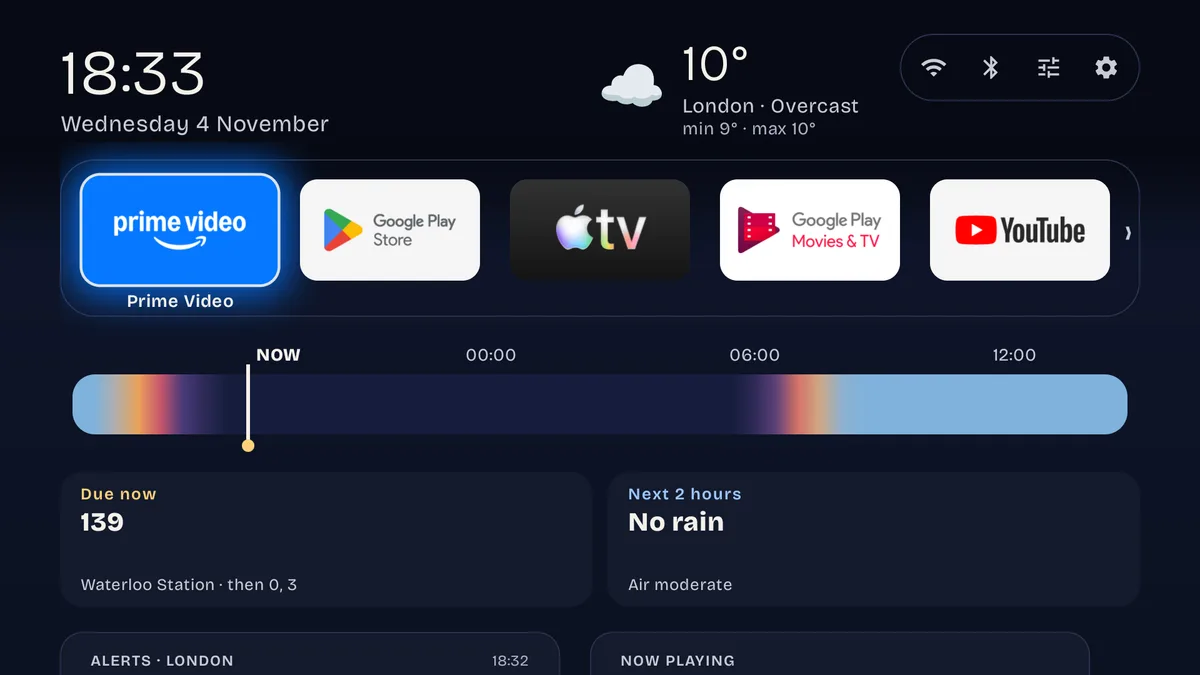
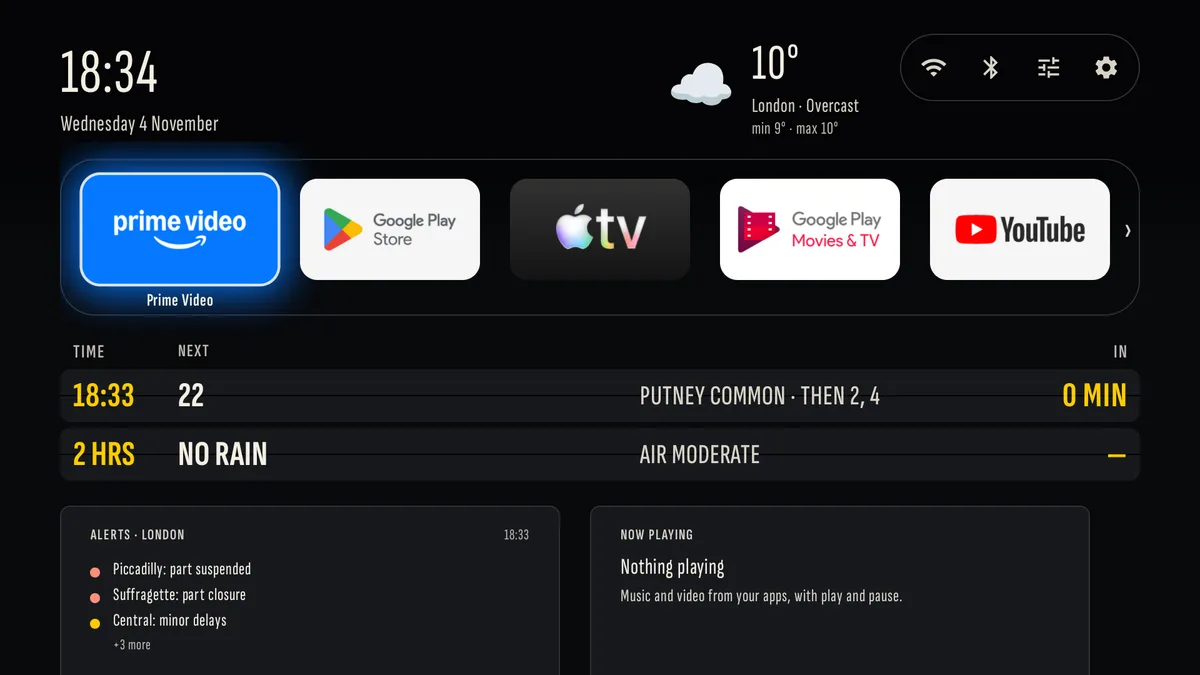
Five looks, one of them Teletext
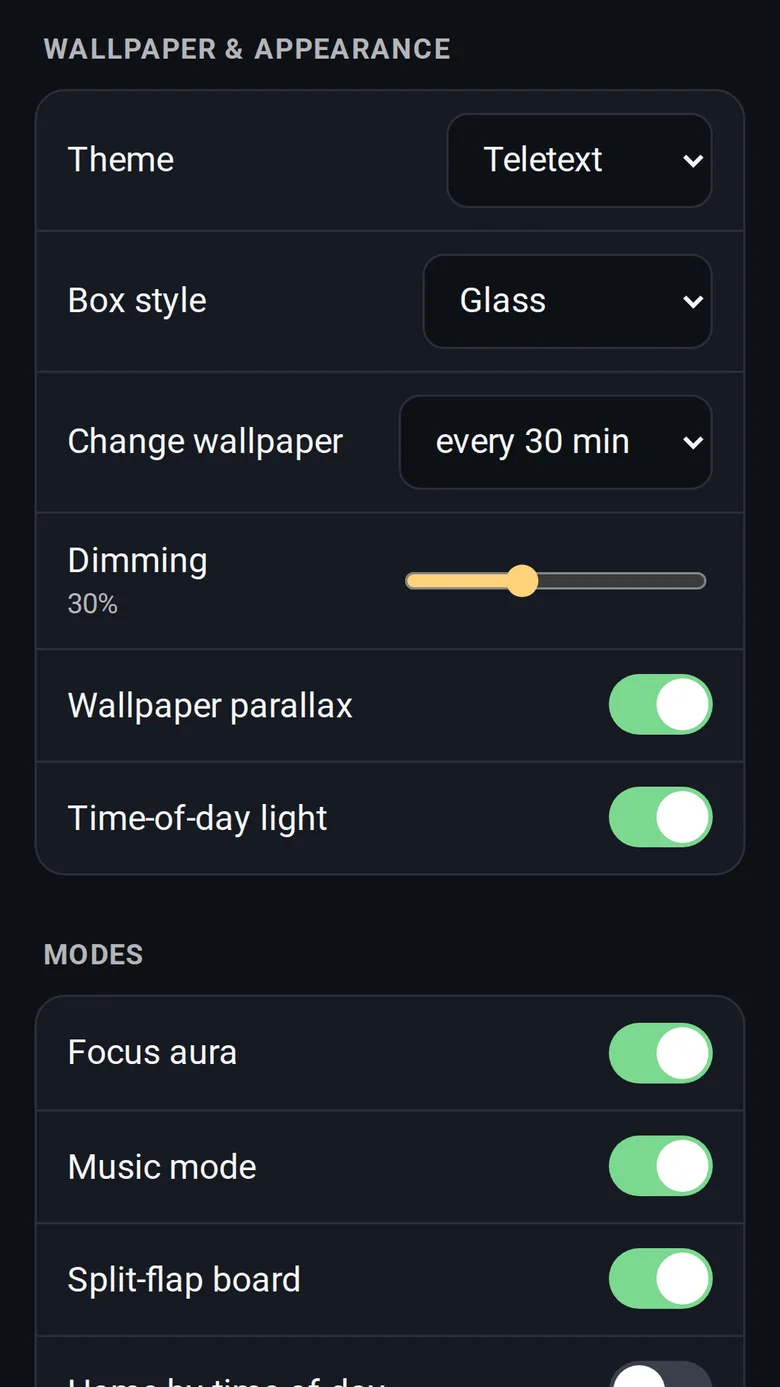
Classic, Teletext, The Day, Departures and Poster. In Teletext each app becomes a page from P201 in the nearest teletext colour, and the home is the index page P100 Today, with 101 Buses and 102 Rain, set in the Bedstead font on black. The Day is a 24-hour timeline whose background follows the colour of the sky.
Made for the remote
Scrolling moves as little as possible instead of jumping to a fixed pivot, focus stops at the end of a row, and a long press on OK opens a menu to open, favourite, move, hide or inspect an app.
Your day on the screen
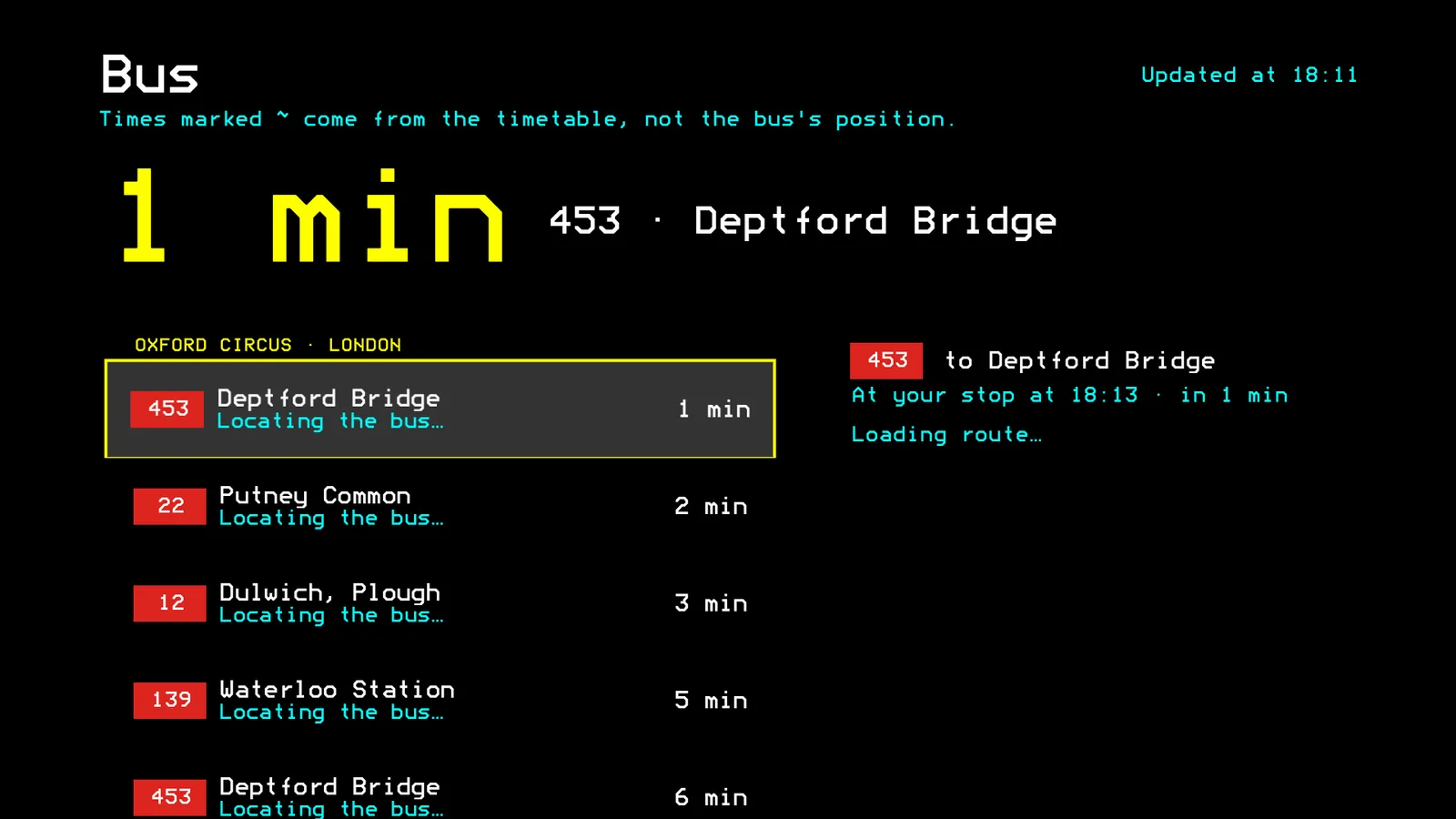
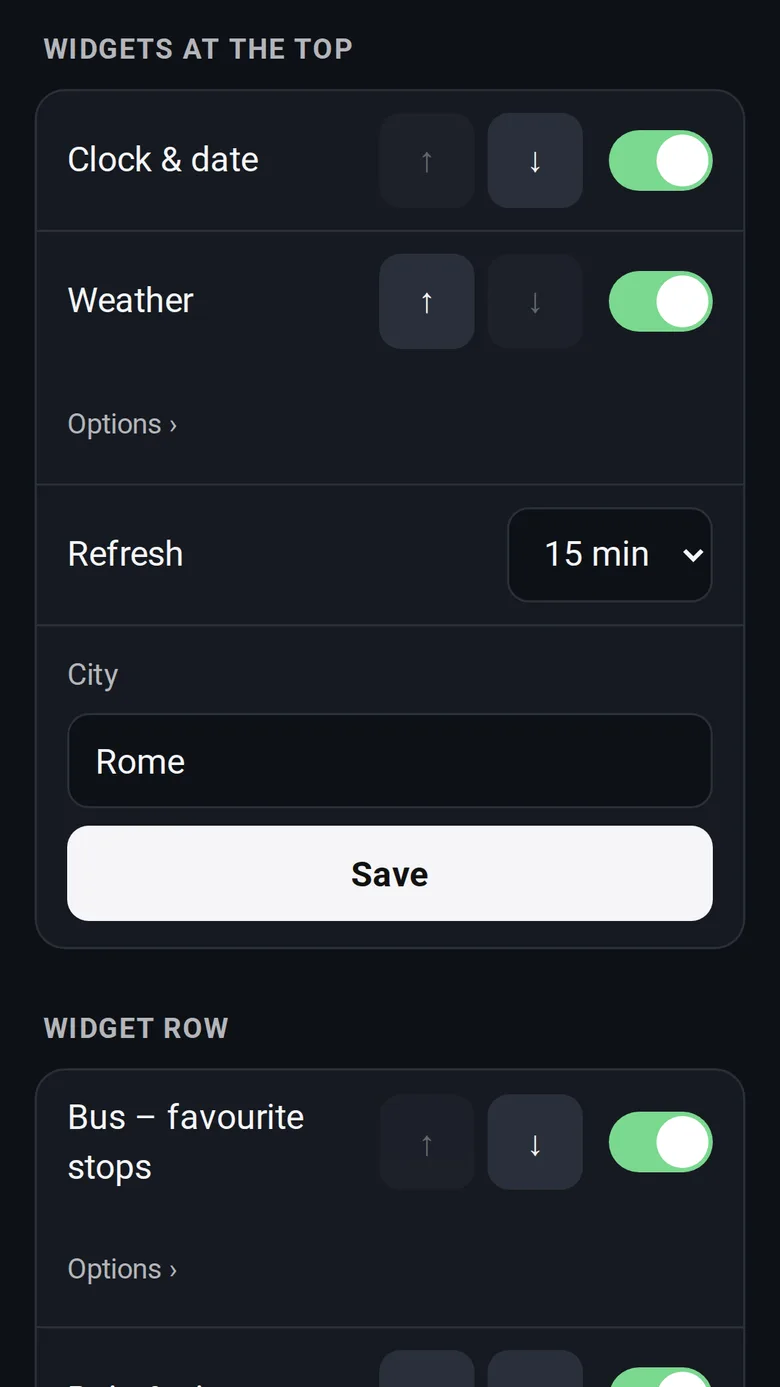
Live buses for Rome and London, rain in the next two hours, air quality, today's calendar from the system or an iCal link, and Continue watching.
Set up from the phone
A QR code on the TV opens a setup page on the phone. It works on the home network only, with a random key, closes after 15 minutes of inactivity, accepts a closed list of actions and never shows a saved token back.
Modes for real life
A guest mode with a Wi-Fi QR code that hides the personal widgets and locks the settings behind a code, a music mode, and a home that changes with the time of day.
Private and light
No account, no ads, no analytics, nothing sent to us. The release build is 2.5 MB and starts in about 0.4 seconds.
Free, with one purchase
Three of the looks are Premium, a one-time purchase through Google Play Billing; the version downloaded from the site uses Stripe and a licence code checked offline.
What shipped
- 27 Oct 2026
- First commit: our own launcher with widgets
- 28 Oct 2026
- Calendar, English and Italian, media player
- 1 Nov 2026
- Setup from the phone with a QR code
- 3 Nov 2026
- Selectable looks, the Teletext look, Premium through Google Play
- 4 Nov 2026
- Accessibility disclosure with consent, Play upload from the command line, store screenshots from the real TV
- 5 Nov 2026
- Continue watching
- 6 Nov 2026
- A download version with Stripe on the site
- 11 Nov 2026
- On Google Play
- Tests
- 63 unit tests in 20 files; two GitHub Actions workflows boot a Google TV emulator to record the disclosure video and check Premium
- Not yet
- Fire TV: the site offers a download, but the app has not been tried on one
See it livefullhouselauncher.comOn Google Play